

Managing an older Apple Account becomes complex if you cannot recall the security question answers. Compromised or inaccessible accounts present a significant recovery challenge. Apple’s modern security framework mandates two factor authentication (TFA). Since Apple no longer supports security questions for new accounts, older accounts relying on them require specific remediation. Successful account recovery or deletion without credentials relies entirely on passing Apple’s positive identification protocols through official support channels.
Table of contents
Restoring Access to an Inaccessible Apple Account
You face an inaccessible account. Understand that Apple will not grant access. Apple also will not delete an account without proof of ownership. The primary fix is almost always moving the account to modern two factor authentication. This method entirely bypasses the legacy security questions.
1. Upgrade Security to Two Factor Authentication (TFA)
Apple moved away from older security questions years ago. The company favors the enhanced protection of two factor authentication. If you still access the account, use a trusted device. If you know the current password, immediately make this switch. Secure your information and change Apple ID password right away.
Here is the general process for switching to the newer security method:
- Visit the Apple Account management page.
- Try to sign in using your existing Apple ID and password.
- Navigate to the Sign-In and Security > Account Security.
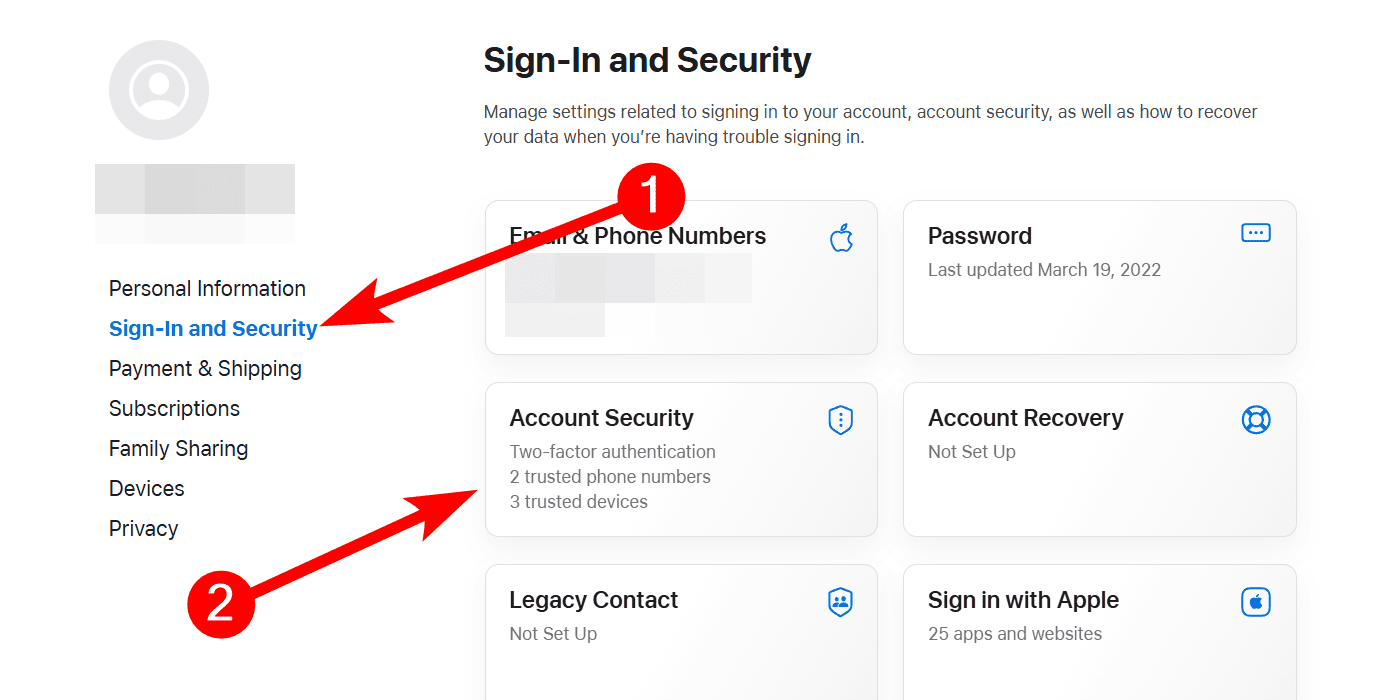
- Look for the option to enable or turn on two factor authentication.
- Follow the prompts to verify a trusted phone number. Sign in on a trusted device. This action replaces the security questions requirement.

2. Contact Official Apple Account Support for Assistance
Self service options fail sometimes. In that case, contact Apple directly. It is essential to route your request correctly. Specifically, highlight the security issue. This approach ensures a specialized team handles your case. This team deals with compromised or locked accounts.
Follow these steps to contact the correct support team:
- Navigate to the official Apple support contact page.
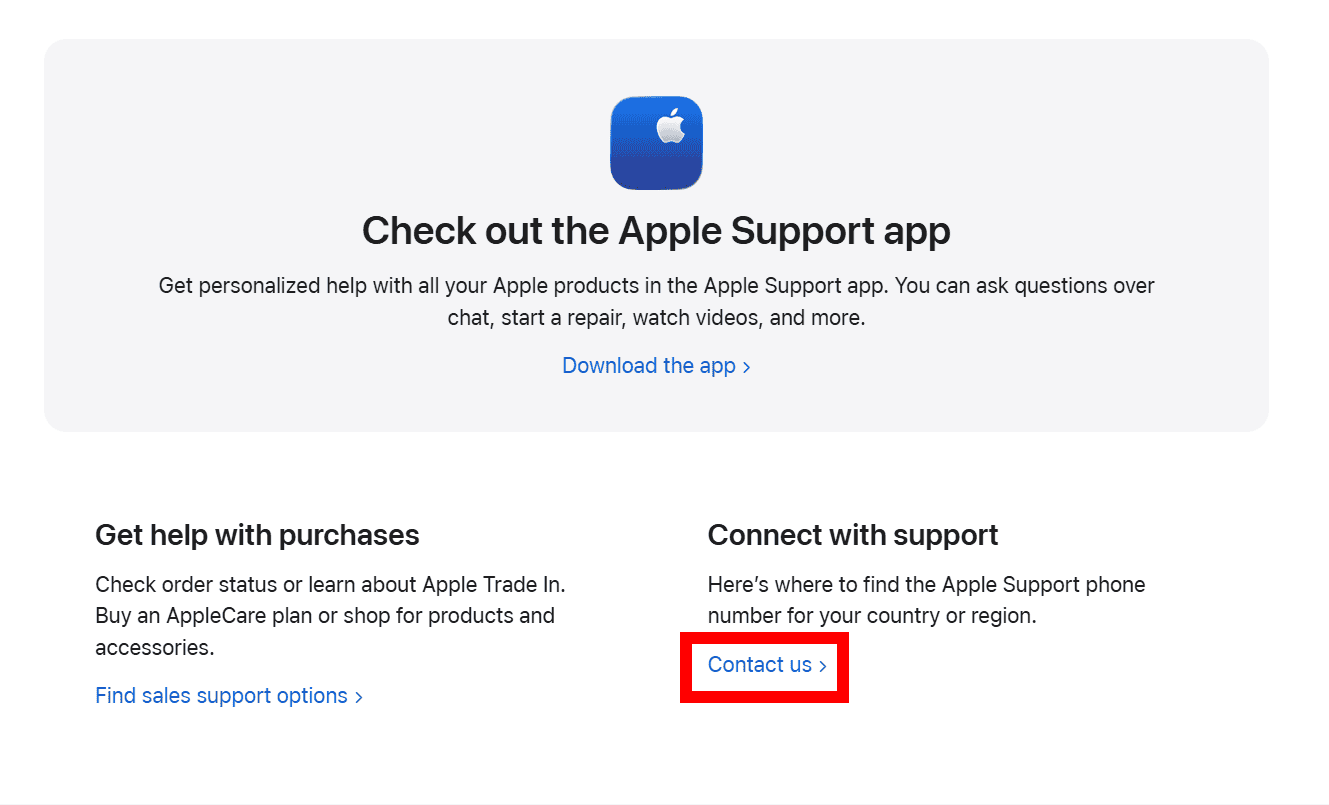
- Scroll down and click Contact US in the Connect with support section.
- Scroll down to the Connect with live support section and select your country or region in the dropdown.
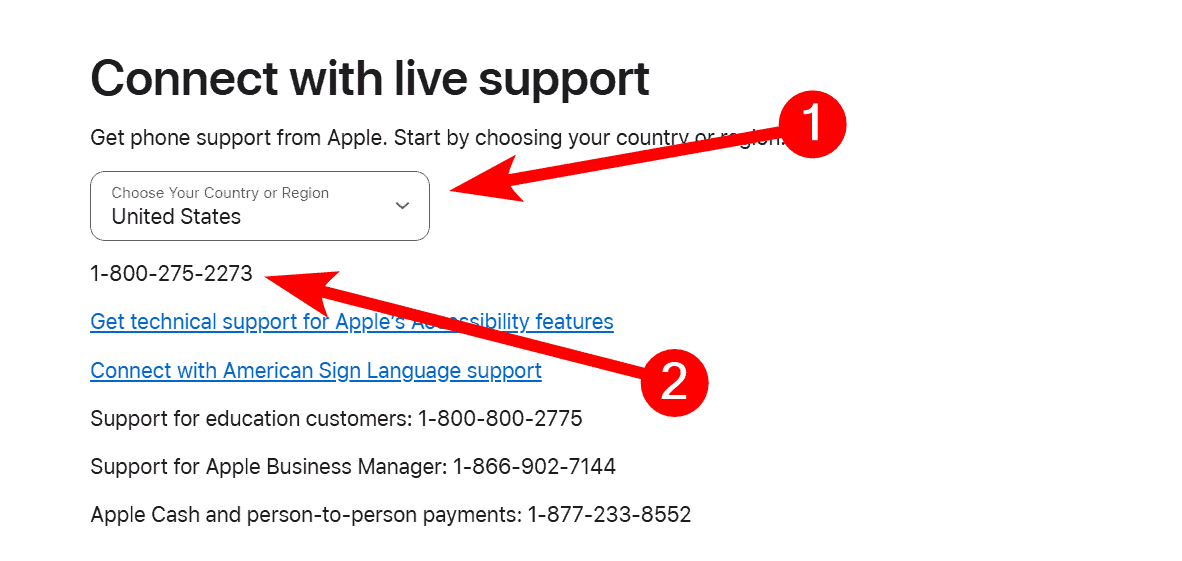
- Call the number that appears at the bottom.


3. Understand Account Deletion Requirements
Generally, you cannot delete an Apple Account without first successfully logging in. Account deletion is a protected function. If you lack sufficient identity proof for access, Apple will not delete the account for you.
This security measure protects all users. If your account is inaccessible, recovery must be the focus. Only after recovery can you consider deletion. Furthermore, if you are starting fresh, you can learn how to create an Apple ID without a credit card.
4. Secure Financial Information and Associated Cards
You believe the old, inaccessible account was previously hacked. Then, protecting associated payment cards is an essential security measure. You cannot verify if a hacker still has access. Therefore, treat all linked financial data as potentially vulnerable. Cancel the associated payment cards. Request new ones from your bank or card issuer immediately.
Consequently, if you cannot gain access, you may need to consider a different approach. You might need to create a new Apple Account entirely for your ongoing use.
FAQ
The online self service reset process is blocked sometimes. This happens when it requires an answer you do not remember. You must call Apple Account support for assistance. The automated system prevents unauthorized resets.
Apple will not delete an account. You must successfully log in first. Alternatively, provide robust identity verification. This happens through their account recovery process. This process often ties to the security information you forgot.
Two factor authentication eliminates the need for security questions. It relies on a trusted device or phone number instead. This verifies your identity. Ultimately, it makes the account much more secure and easier to recover.
Restoring Control Over Your Digital Identity
Regaining control of an old, locked Apple Account requires persistence. It also requires a commitment to following Apple’s strict security protocols. The process may be frustrating. However, the system protects your identity from malicious actors. Prioritize the upgrade to two factor authentication. Alternatively, contact specialized support. This way, you secure your digital future. You also ensure you can easily sign into your Apple Account in the future.


